Create and customize basic bridge curves
Create and customize basic bridge curves
Create and customize basic bridge curves
|
Related Topics |
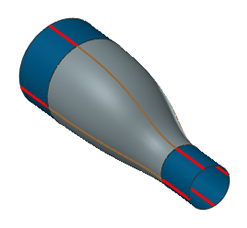
This example shows how to create and customize bridge curves between the sheet bodies below. The final part includes four bridge curves and a Through Curve Mesh surface based on the curves.
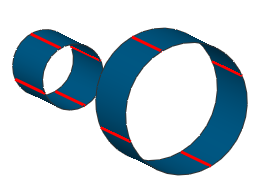
From the Curves toolbar, choose  .
.
To define start and end points for the straight curve at the bottom of the part, select the curve ends at  and
and  .
.
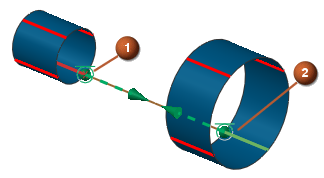
To complete the first bridge curve, click Apply.
To define start and end points for the second curve, select the curve ends at  and
and  .
.
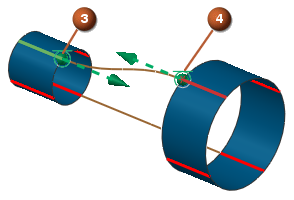
To change the tangent magnitude from the start point, click the handle at  , type 2, and press ENTER.
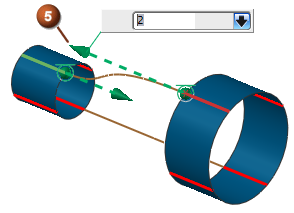
To complete the curve, click Apply.
To create the final two bridge curves, select the start and end points and click Apply.
The following graphic shows the final part, including a Through Curve Mesh surface based on the bridge curves.